
REVIEW · GRAND CANYON SOUTH RIM TOURS
Grand Canyon South & East Rim: Driving & Walking Audio Tour
First time at the South Rim and want less guessing? This self-guided Grand Canyon audio tour turns the drive into a storybook route, with 30+ stops and automatic, location-based narration. You can follow it at a relaxed pace, pause for photos, then keep going when you feel ready.
I especially like two things: the offline maps and offline audio (so you’re not hostage to spotty service), and the fact you buy one tour per group or per car (up to 4), which can be a real value when you’re splitting the cost.
One consideration: the app’s flow is straightforward once it clicks, but the start point and the shuttle segment can be confusing at first—so I recommend you download ahead and spend a minute figuring out where to begin before you park and start walking.
In This Review
- Key things to know before you go
- How this Grand Canyon South & East Rim audio tour really works
- Price and value: $16.99 per group for a car-based Grand Canyon day
- Setup that makes or breaks the experience: download, password, and playback
- From Grand Canyon Village to Mather and Yavapai: start with the big first views
- Hopi House and the Kolb vs Lookout rivalry: history with real atmosphere
- Hermit Road by shuttle: Bright Angel views, eagles, and river legends
- Desert View Drive to Navajo Point and the Watchtower: geology, birding, and a big climb option
- South Kaibab Trail and Tusayan Ruins Museum: using the audio for extra meaning
- The shuttle and walking rhythm: how to avoid getting stuck or lost
- Offline success tips: cellular is sketchy, so plan like it is
- Who this tour fits best (and who might not)
- Should you book the Grand Canyon South & East Rim driving and walking audio tour?
- FAQ
- How much does the Grand Canyon South & East Rim driving and walking audio tour cost?
- How long does the tour take?
- Is the tour offered in English?
- Do I need cellular service during the tour?
- Is the Grand Canyon entry ticket included?
- How do I start the tour when I arrive?
- Will the tour include the shuttle route?
- Can I pause and start again whenever I want?
Key things to know before you go

- GPS-triggered stories: the audio starts when you reach each marked spot, so you’re not constantly tapping your phone.
- Offline by design: download on strong Wi‑Fi/cellular, then use it without service.
- 30+ stops on both rims drives: you’ll hit the big overlooks plus lots of quieter canyon edges.
- You’ll use park shuttles some of the way: a few areas are shuttle-only, and the audio explains what to do.
- Lifetime access: no expiry date, so you can revisit on another trip.
- Sound setup matters: car audio via Bluetooth/AUX/USB, and headphones for walking parts.
More runs to the Grand Canyon, compared

How this Grand Canyon South & East Rim audio tour really works
This is not a guided tour with a person herding you into seats. It’s an audio-driven plan that works like a “choose your own stops” itinerary.
You’ll use your phone for two jobs:
1) Navigate to the route and the next marked story location.
2) Listen hands-free as the narration plays automatically near each stop.
That hands-free part is the secret sauce. When it’s set up well, you can focus on the canyon. When it’s not set up well, you’ll burn time trying to figure out where to start next. So your setup day matters more than you’d expect.
A second smart feature for the Grand Canyon: you can start anytime and pause anywhere. That means if a parking spot is taken, or you run into a line at a restroom, you’re not forced to keep moving on someone else’s schedule.
Price and value: $16.99 per group for a car-based Grand Canyon day

The price is $16.99 per group (up to 4). In other words, you’re not paying per person.
For a park day like this, that can be the difference between “nice add-on” and “why did I spend that?”. If you’ve got a couple of adults plus a kid or two (or two couples), buying one tour per car usually feels fair. If you’re traveling solo, it’s still reasonable, but it’s a little less of a slam dunk versus free signage plus a good phone map.
Also, you’re paying for more than “interesting facts.” You’re paying for:
- a long route (it covers about 30+ miles),
- more than 55 audio stories, and
- the convenience of knowing what to stop for and why.
If you’re the type who likes context—geology, Native names, mining history, river stories—this tends to feel worth it. If you’d rather just drive from overlook to overlook with no narrative, you may decide you don’t need it.
Setup that makes or breaks the experience: download, password, and playback
Do the prep before you park at the canyon. The tour uses offline audio after download, but you must download while you have strong Wi‑Fi or cellular.
Here’s the typical flow:
- After you book, you get an email/text with setup instructions and a password.
- You download the separate Action’s Tour Guide App.
- When you’re onsite, you open the app, enter the password, then launch the right version for your starting point and direction.
At the starting point, no one meets you. You’re responsible for beginning the audio at the first story location, then letting it run. When it works, it’s easy. When you start in the wrong spot, the narration won’t match what you’re looking at.
For sound:
- You can pair your phone to your car’s stereo via Bluetooth, USB, or AUX.
- The tour is compatible with Apple CarPlay (and Android Auto support is described as on the way).
- For walking and shuttle instructions, headphones are a smart move.
If cell service feels sketchy (it often does at the Grand Canyon), don’t panic—offline is the plan, as long as you downloaded correctly.
More of the South Rim from Vegas
- Desert View Grand Canyon Jeep Tour★ 4.5 · 269 reviews
- 25-min Grand Canyon South Rim EcoStar Helicopter Tour with Optional Hummer★ 4.5 · 229 reviews
- Grand Canyon Tour from Tusayan★ 5.0 · 158 reviews
- Grand Canyon South Rim Sunset Tour with Dinner included★ 5.0 · 158 reviews
- Tusayan: Grand Canyon Desert View & South Rim Pink Jeep Tour★ 4.6 · 113 reviews
- Grand Canyon South & East Rim: Driving & Walking Audio Tour★ 4.0 · 112 reviews
From Grand Canyon Village to Mather and Yavapai: start with the big first views
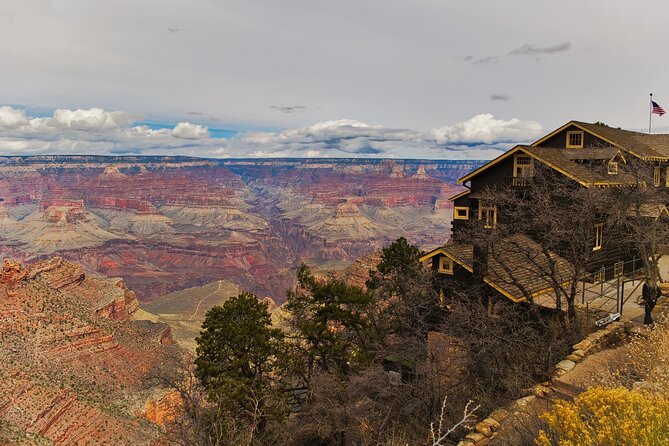
The tour begins near the South Entrance Station, and it starts by helping you get oriented—including what entrance fee options exist. Then you roll into Grand Canyon Village, where you’ll arrive at the Visitor Center.
This is a good first stop for practical reasons:
- maps and park info,
- restrooms, and
- snacks (because you’ll be out there longer than you expect).
Next comes Mather Point. This is one of those classic overlooks because it gives a clean view across the canyon—on a clear day, you can see a long way. If you’re trying to “get the wow” quickly, this is where you do it.
Then you move to Yavapai Point. This is both scenic and educational. You get more south-rim canyon views plus background on the tribe for whom the point is named.
Right nearby is the Yavapai Geology Museum. Even if you’re not a museum person, it’s a quick way to connect the canyon’s look to the underlying rock story—so later stops make more sense.
Hopi House and the Kolb vs Lookout rivalry: history with real atmosphere
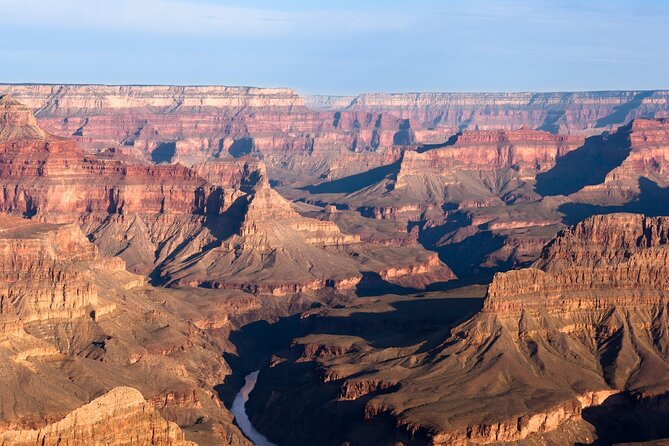
Two of the most interesting village stops are Hopi House and the Kolb/Lookout Studio area.
At Hopi House, the building is an accurate-style recreation of ancient Hopi dwellings from when the tribe still occupied the area. Even if you don’t buy anything, it’s a strong reminder that this place isn’t just geology—it’s people, names, and culture.
Then the tour swings toward Kolb Studio and Lookout Studio, including the story of the bitter rivalry between the two in the early 1900s. It’s the kind of detail that makes the canyon feel less like a postcard and more like a living stage where real ambitions played out.
If you like hands-on stops, this part works. You can look, listen, and then wander a bit before continuing.
Hermit Road by shuttle: Bright Angel views, eagles, and river legends
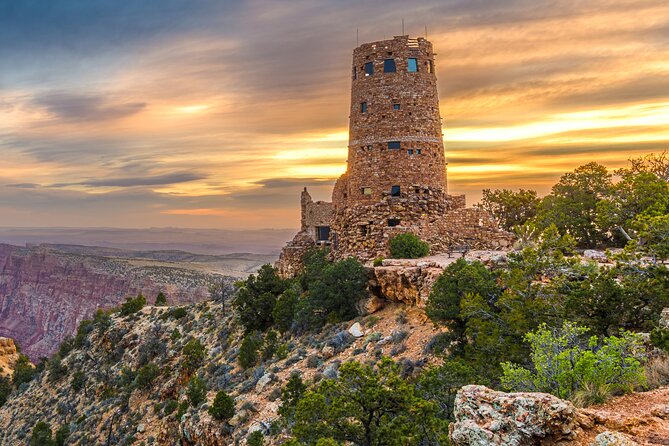
After the village segment, you’ll take the park’s free shuttle for the Hermit Road section. The audio gives directions for how to do it, but here’s the real tip: once you switch to shuttle mode, your time depends on how well you match the stop you’re at with the correct shuttle route.
Hermit Road begins with Trailview Overlook, a spot where you can see the Bright Angel Trail. You’ll often spot hikers making their way down or climbing back up. Even from up high, that long vertical line makes the canyon feel huge in a physical way.
Next is Maricopa Point, which adds an unexpected layer: it connects the view to a uranium mining operation. That kind of history can surprise first-timers because you expect only “natural wonder.”
Then comes Powell Point, which ties the lookout to explorer history—honoring John Wesley Powell and his Colorado River charting effort.
You’ll also hit Hopi Point, with a focus on bald eagles and how they connect to the Hopi tribe’s world. If you’re hoping to spot eagles, this is a good place to slow down and listen.
For raw Colorado River visibility, Mohave Point is your next stop. The narration helps you appreciate the scale while you take in the river’s power from above.
Then it gets extra story-heavy with Monument Creek Vista and the Granite Rapids mention. There’s also a note about the first female river guide and how she got her start. It’s a nice reminder that the river’s story is also human story.
Near the end of the shuttle segment you’ll reach Pima Point, where the tour points out that in quiet moments, you may hear water movement. It’s one of those “pause and actually listen” spots.
A useful bonus theme here: the route doesn’t just list facts. It links view → name → human use → geology, so you don’t leave with only random trivia.
Desert View Drive to Navajo Point and the Watchtower: geology, birding, and a big climb option
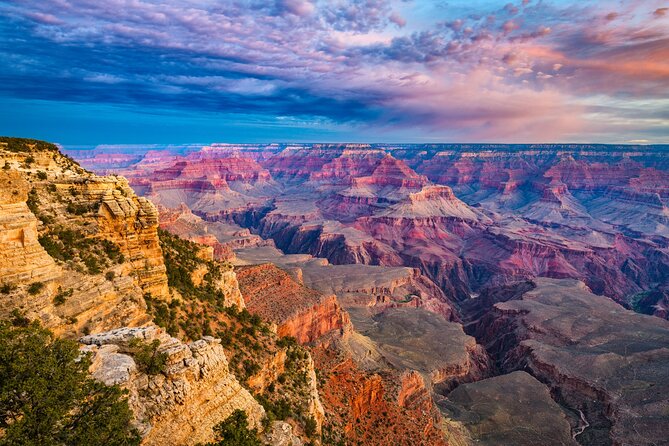
After Hermit Road, the audio continues east along Desert View Drive. This is where the canyon feels like it’s opening up into a longer, more varied sequence.
Early here is Pipe Creek Vista. The tour talks to birders, including the hope of spotting rarer species such as the California condor. Even if you don’t see one, the stop gives you a “watch for something beyond the obvious” mindset.
Next is Duck on a Rock Viewpoint, a quirky formation people compare to a duck. It’s lighthearted but effective: it gives your eyes something fun to find before you jump back to bigger geology.
Grandview Point follows, and the audio notes it as a trailhead for a route below the rim with striking sights. If you’re not hiking, you can still appreciate it as a reminder that the rim is just one perspective.
Lipan Point adds more geology-focused commentary plus another river view angle.
Then it’s Navajo Point—the audio calls it the highest viewpoint on the southern rim at about 7,500 feet above sea level. That elevation matters emotionally. The air feels different, and it can make you understand why the canyon’s edges feel so dramatic.
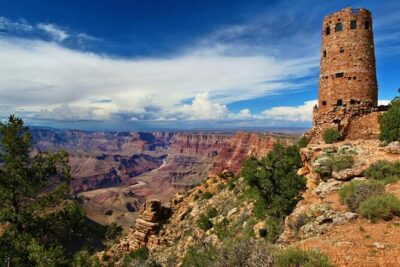
Finally, you arrive at Desert View Watchtower, a stone structure perched on the edge. Depending on the season, you might be able to climb to the top. Even without climbing, this is a strong finish because it feels like a landmark, not just another turnout.
There’s also a note that this is a popular sunrise and sunset area, and the remote lookout and shuttle stop has restrooms. If you time it right and linger, the canyon can change fast.
South Kaibab Trail and Tusayan Ruins Museum: using the audio for extra meaning

The tour content also points you toward two add-ons that many people either skip or only notice later:
- South Kaibab Trail: the audio frames it as a ridge route with 360-degree views toward Skeleton Point. If you’re an active traveler, it gives you a reason to plan a shorter hike (or at least decide if hiking is worth it for your day).
- Tusayan Ruins and Museum: the audio describes it as a great place to learn about ancient cultures, including a walk-through with signage.
You don’t need to do either one to enjoy the canyon overlooks. But if you like connecting the scenery to people and time, these stops can turn the day from “wow, it’s huge” into “wow, it has layers.”
The shuttle and walking rhythm: how to avoid getting stuck or lost
The route mixes driving, short walks, and shuttle-only segments. That’s part of why it covers so much ground, but it also creates a common problem: you can lose your place if you assume you can do every stop without the shuttle.
Here are the practical moves I’d use:
- Keep the app open so audio can keep syncing to your next location.
- When you reach a stop that requires shuttle access, follow the audio’s instructions carefully before you wait.
- If you start feeling turned around, don’t power through. Take a breath, confirm you’re on the right segment, then move again.
Walking portions benefit from headphones, mainly because the audio instructions get more detailed when you’re actually at the stop.
And for the overall day, plan for parking and crowds. The tour’s own advice is to visit during off-peak hours when possible, like early morning or late afternoon.
Offline success tips: cellular is sketchy, so plan like it is
A lot of Grand Canyon stress is about service. This tour is set up to avoid that problem, but only if you do the download step correctly.
My rule:
- Download before you go, in strong Wi‑Fi if you can.
- Don’t rely on a “maybe the signal will be okay” approach.
- Once you’re onsite, assume service might be weak and let the offline audio run.
When people say the tour works well, it’s usually tied to that one detail: the audio is ready when you need it.
Who this tour fits best (and who might not)
This audio tour shines if you want:
- a plan that covers classic viewpoints like Mather Point and Yavapai Point,
- lots of extra context without hiring a guide,
- the freedom to stop for photos and then keep going,
- and a route you can reuse later thanks to lifetime access.
It’s also a nice fit if you’re traveling with mixed interests—one person can listen closely, another can mostly focus on views, and everyone still gets value.
You might skip it (or choose a different style) if:
- you hate app-based navigation and want zero phone involvement,
- you know you’ll struggle with remembering which stop came next,
- or you’d rather rely entirely on park signage and your own research.
Should you book the Grand Canyon South & East Rim driving and walking audio tour?
I’d book it if you want to get more out of the canyon than a quick drive-by. The route covers major overlooks and adds story threads—geology, Native place names, eagle lore, mining history, Powell-era river exploration, and river guide legends. At $16.99 per car for up to 4, it’s also priced like a practical add-on rather than a luxury tour.
But I’d be cautious if you expect the app to guide you with no learning curve. The biggest risk isn’t the canyon—it’s syncing up at the right start point and handling the shuttle segment smoothly. If you’re willing to download ahead on solid Wi‑Fi and take a minute to get oriented before you move, this is the kind of self-guided plan that can make a Grand Canyon day feel organized and personal.
FAQ
How much does the Grand Canyon South & East Rim driving and walking audio tour cost?
It costs $16.99 per group (up to 4).
How long does the tour take?
Plan about 3 to 4 hours, approximately.
Is the tour offered in English?
Yes, it’s offered in English.
Do I need cellular service during the tour?
No, it works offline after you download. It also includes offline maps.
Is the Grand Canyon entry ticket included?
No. The tour does not include the park entry ticket or any attraction reservations.
How do I start the tour when I arrive?
You download the Action’s Tour Guide App, enter the password from your email/text, then go to the first story’s point. The audio begins automatically at each location.
Will the tour include the shuttle route?
Yes. Some areas are only accessible by shuttle, and the audio gives instructions for using the free shuttle during the route.
Can I pause and start again whenever I want?
Yes. You can start anytime and pause anywhere during your visit. The tour also has lifetime access with no expiry.
More Tour Reviews in Grand Canyon National Park
- 45-minute Helicopter Flight Over the Grand Canyon from Tusayan, Arizona
★ 5.0 · 1,959 reviews - Grand Canyon Signature Hummer Tour with Optional Sunset Views
★ 5.0 · 1,662 reviews - 3 Hour Off-Road Sunset Safari to Grand Canyon with Entrance Gate Detour
★ 5.0 · 904 reviews - 4-Hour Biblical Creation + Sunset Tour • Grand Canyon National Park South Rim
★ 5.0 · 718 reviews - Grand Canyon West: All Access Ticket
★ 3.0 · 466 reviews - 3 Hour Back-Road Safari to Grand Canyon with Entrance Gate By-Pass at 9:30 am
★ 5.0 · 430 reviews
Back to the South Rim
- 45-minute Helicopter Flight Over the Grand Canyon from Tusayan, Arizona
★ 5.0 · 1,959 reviews - 4-Hour Biblical Creation + Sunset Tour • Grand Canyon National Park South Rim
★ 5.0 · 718 reviews - Desert View Grand Canyon Jeep Tour
★ 4.5 · 269 reviews - 25-min Grand Canyon South Rim EcoStar Helicopter Tour with Optional Hummer
★ 4.5 · 229 reviews - Grand Canyon Tour from Tusayan
★ 5.0 · 158 reviews - Grand Canyon South Rim Sunset Tour with Dinner included
★ 5.0 · 158 reviews
The Grand Canyon, More Ways Out
- 45-minute Helicopter Flight Over the Grand Canyon from Tusayan, Arizona
★ 5.0 · 1,959 reviews - Grand Canyon Signature Hummer Tour with Optional Sunset Views
★ 5.0 · 1,662 reviews - 3 Hour Off-Road Sunset Safari to Grand Canyon with Entrance Gate Detour
★ 5.0 · 904 reviews - 4-Hour Biblical Creation + Sunset Tour • Grand Canyon National Park South Rim
★ 5.0 · 718 reviews - Grand Canyon West: All Access Ticket
★ 3.0 · 466 reviews - 3 Hour Back-Road Safari to Grand Canyon with Entrance Gate By-Pass at 9:30 am
★ 5.0 · 430 reviews
Fresh off the Strip: new Grand Canyon National Park reviews





Grand Canyon South Rim Tours, compared.
 ★ 4.5Grand Canyon National Park South Rim Bus Tour from Las VegasFrom $713,071 reviews
 ★ 4.3From Las Vegas: Grand Canyon South Rim Day TripFrom $862,147 reviews
 ★ 4.0Grand Canyon National Park South with Optional UpgradesFrom $992,044 reviews
 ★ 5.0Grand Canyon National Park South from Las Vegas with Lunch, WiFiFrom $791,966 reviews
 ★ 5.045-minute Helicopter Flight Over the Grand Canyon from Tusayan, ArizonaFrom $3941,959 reviews
 ★ 5.04-Hour Biblical Creation + Sunset Tour • Grand Canyon National Park South RimFrom $149718 reviews
 ★ 4.6Grand Canyon National Park South w/Lunch, Free WiFiFrom $119669 reviews
 ★ 4.4Grand Canyon National Park South Rim Guided TourFrom $150531 reviews
Browse the lists this tour appears in